> For the complete documentation index, see [llms.txt](https://docs.skypirl.tech/llms.txt). Markdown versions of documentation pages are available by appending `.md` to page URLs; this page is available as [Markdown](https://docs.skypirl.tech/game/slot-machine/connect-room-house.com-to-the-slot-machine.md).

# Connect Room-House.com to the slot machine

<figure><img src="/files/VokFIRObvgg4mvClPpHR" alt=""><figcaption></figcaption></figure>

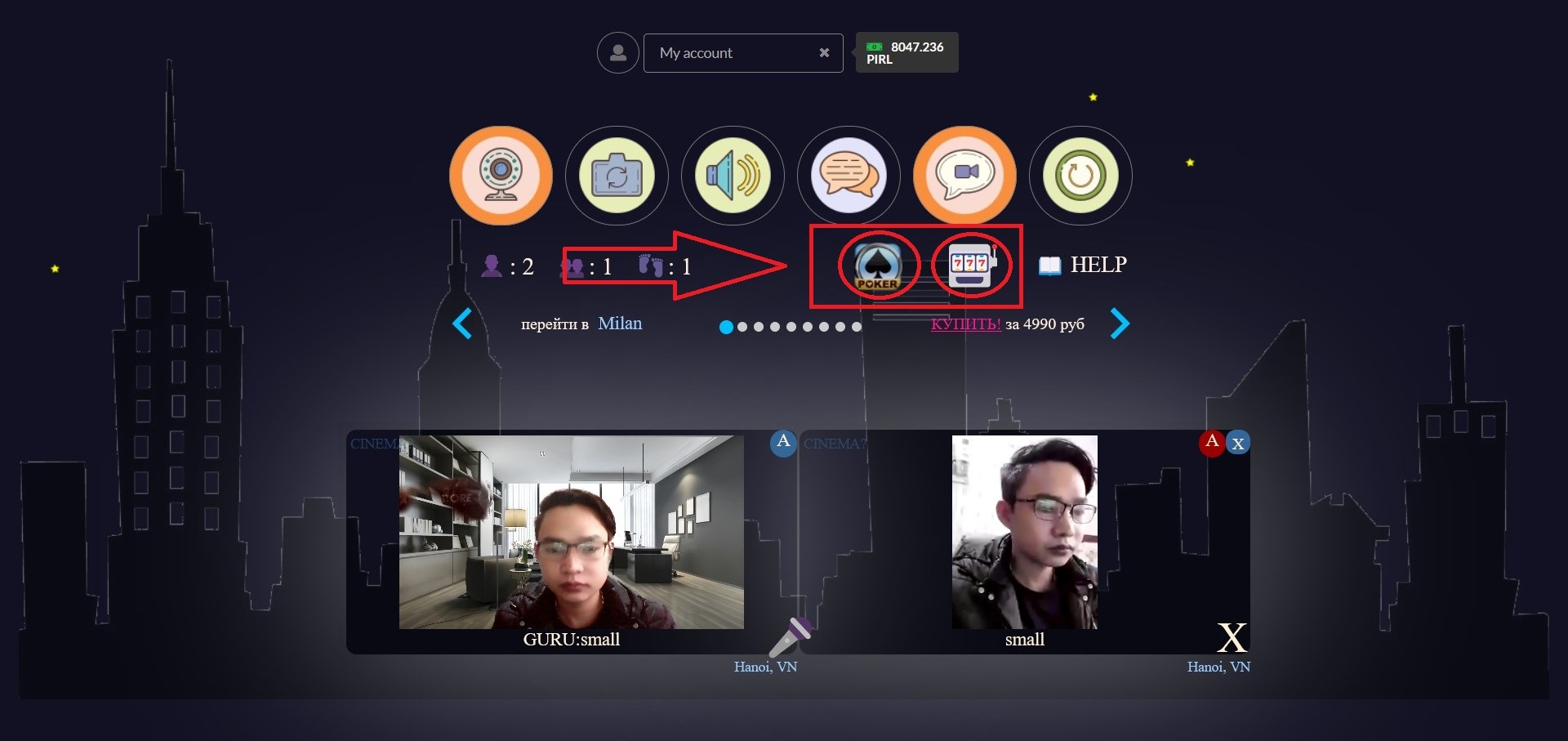
​Studying and working online for a long time on R-H can sometimes make us feel bored. Try to "change the wind" right away with some interesting games on R-H, to make meetings, virtual classes more fun, and create better cohesion between participants.In addition to organizing meetings, learning and online events, R-H also supports the organization of team games. You can play games on your computer. Then share the screen on R-H so others can see the game. The sound of the game will also be broadcast to everyone. But at the same time you can still clearly hear the conversations in the R-H room. If you still don't know which game to organize, immediately refer to the list of the best and most useful R-H games suggested below.​

To Connect **R-H to the game**, you first enter the **Room-House.com decentralized meeting room**, then you choose your **favorite game.**

<figure><img src="https://files.gitbook.com/v0/b/gitbook-x-prod.appspot.com/o/spaces%2F8W49uWzGXahUNn1THyyX%2Fuploads%2FxWrBoALinBjYvC5b6MXW%2Fslot6.jpg?alt=media&#x26;token=214bf0f3-e42d-4591-b8d6-ae4d6d9a5200" alt=""><figcaption></figcaption></figure>

Instructions to connect the wallet to the slot machine here:&#x20;

<https://docs.room-house.com/slot-machine/connect-the-slot-machine-to-the-skypirl-light-wallet.>

**Use the decentralized meeting room for free here:**

<https://docs.room-house.com/room-house.com-r-h/free-trial>

{% embed url="<https://www.youtube.com/watch?v=MFrTX6q2J2Q>" %}

**Game built by Alex Shevlakov**

#### Room-House.com SkyPirl Pirl Rumhaus


---

# Agent Instructions
This documentation is published with GitBook. GitBook is the documentation platform designed so that both humans and AI agents can read, navigate, and reason over technical content effectively. Learn more at gitbook.com.

## Querying This Documentation
If you need additional information that is not directly available in this page, you can query the documentation dynamically by asking a question.

Perform an HTTP GET request on the current page URL with the `ask` query parameter, and the optional `goal` query parameter:

```
GET https://docs.skypirl.tech/game/slot-machine/connect-room-house.com-to-the-slot-machine.md?ask=<question>&goal=<endgoal>
```

`ask` is the immediate question: it should be specific, self-contained, and written in natural language.
`goal` is optional and describes the broader end goal you are ultimately trying to accomplish on behalf of the user. GitBook uses it to tailor the answer towards what is most useful for that goal.

The response will contain a direct answer to the question and relevant excerpts and sources from the documentation.

Use this mechanism when the answer is not explicitly present in the current page, you need clarification or additional context, or you want to retrieve related documentation sections.